Android app · Personal project
Split Money: Split trip costs, settle up once.
Split Money is an Android app for sharing trip expenses with friends: split equally, by exact amounts, by percent, or by shares, and see one net balance per friend across every trip.
Android APK · 54.8 MB · hosted on Google Drive
What it does
Fair splits, without the spreadsheet.
Trips with friends
Create a trip with its own currency, icon, and color, then add the friends who came along. Each trip shows what was spent and your share.
Four ways to split
Split each expense equally, by exact amounts, by percent, or by shares, like 2 for a couple. Splits always add up to the last paisa.
One figure per friend
Balances net out across every trip you share. If Aarav owes you ₹4,500 from Goa and you owe him ₹5,400 from Manali, Home shows you owe ₹900.
Settle up across trips
Record a payment and the balance clears. Settling with a friend across trips records one payment in each shared trip, so every balance returns to zero.
Invite by email or code
Find friends by their exact email once they've signed in, or share the trip's 6-character code.
Glass or Classic, light or dark
Choose translucent Glass cards or solid Classic ones, and System, Light, or Dark appearance. The sun and moon button on Home flips it in one tap.
Inside the app
A closer look.
Screens from the Android app in its Glass theme, in light and dark.
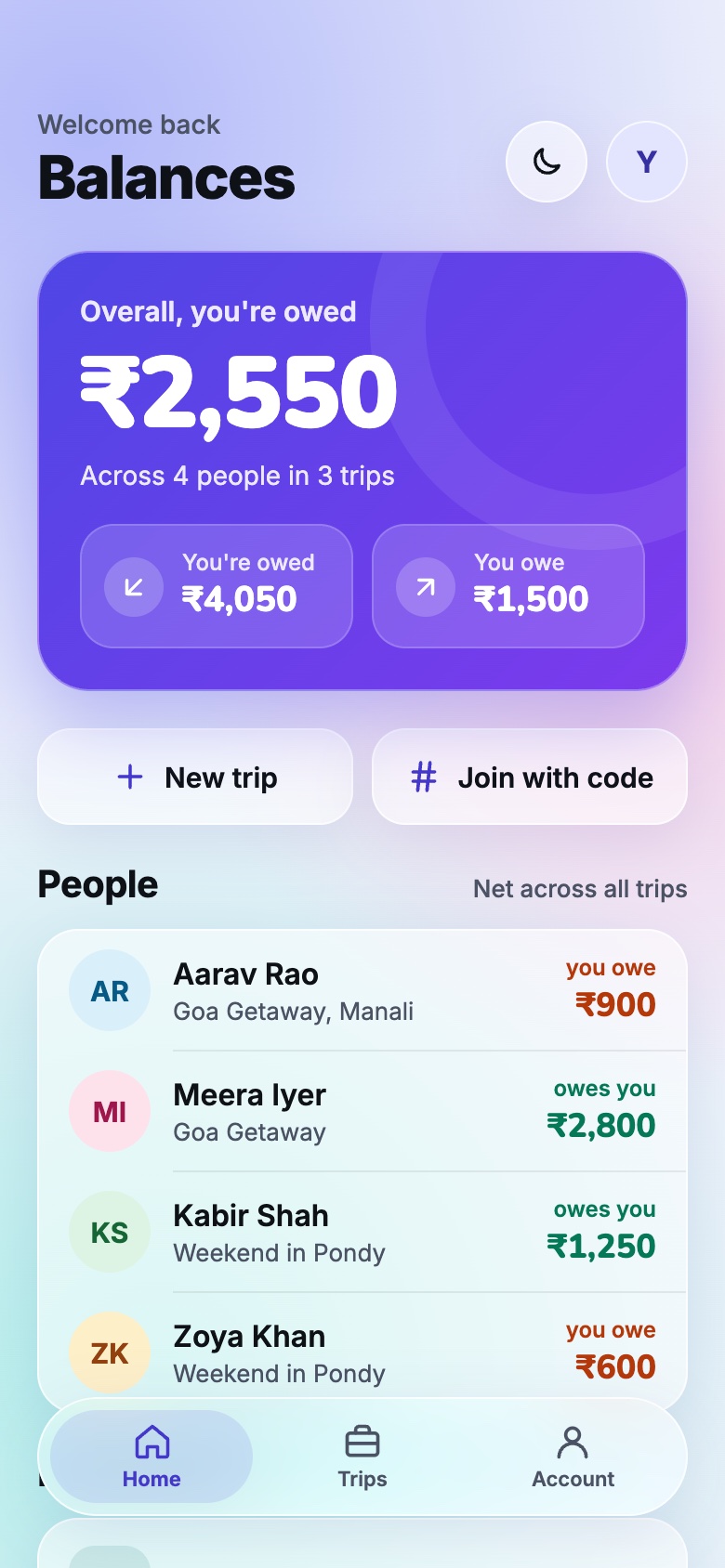
BalancesHome nets each friend across all your trips into one figure, here in the light Glass theme. 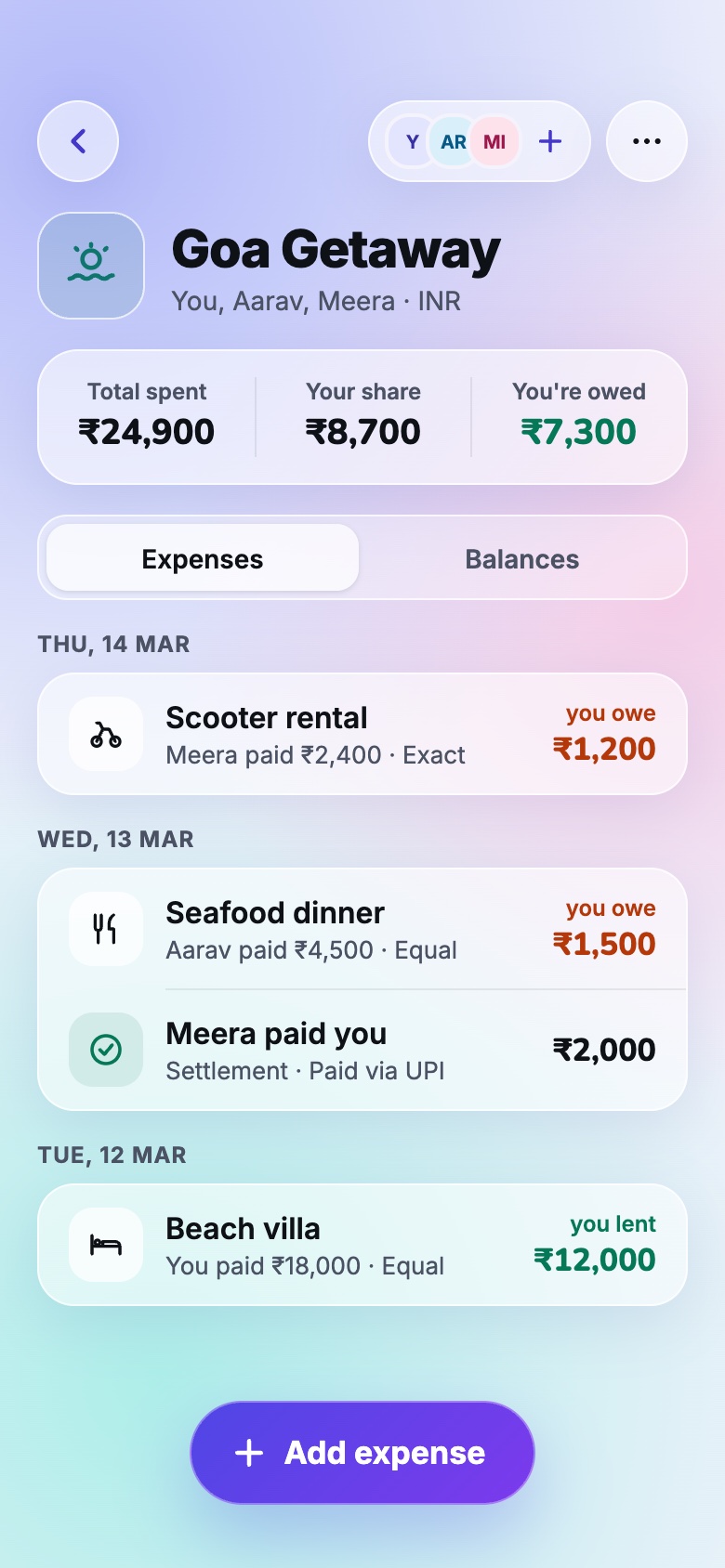
Trip detailTotal spent, your share, and every expense and settlement, grouped by day. 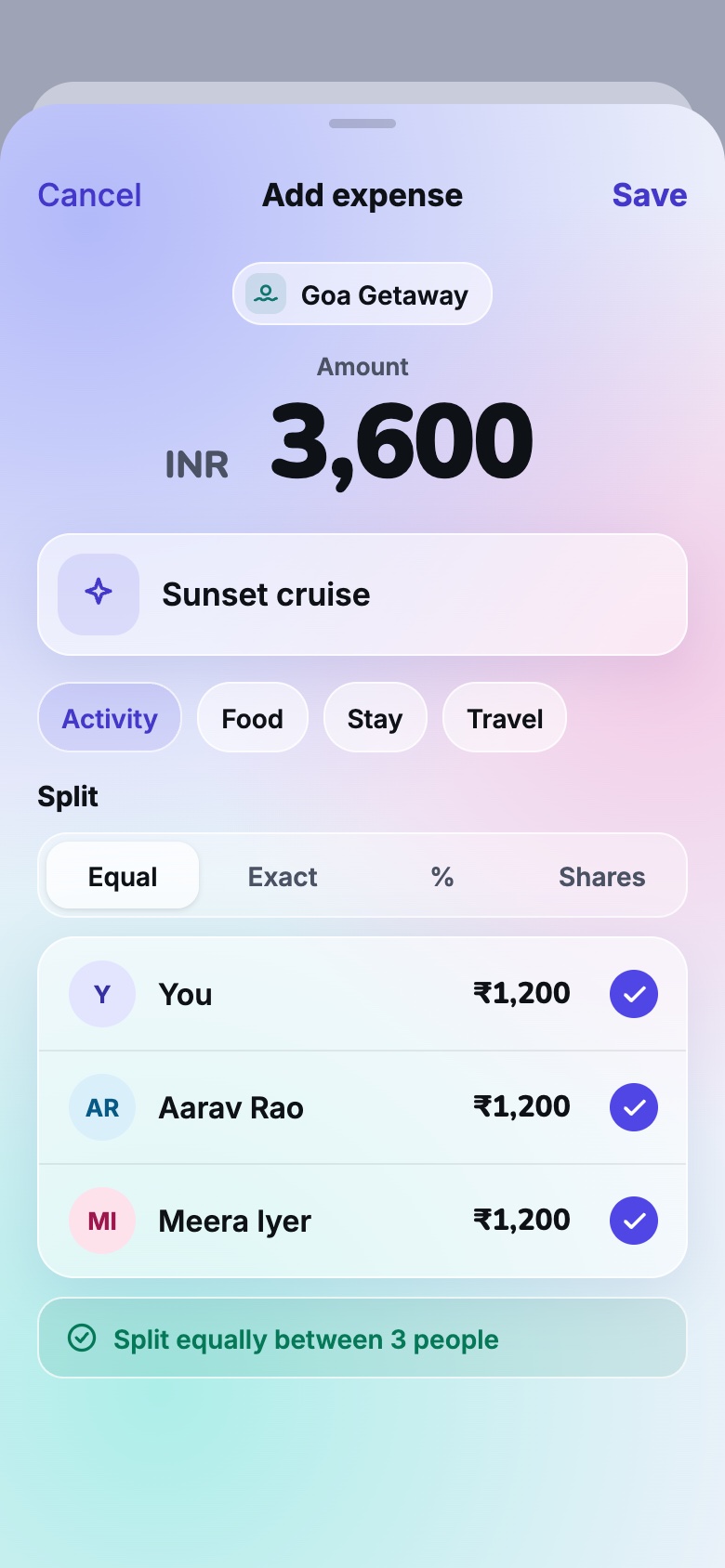
Add expensePick a category, then split equally, by exact amounts, by percent, or by shares. 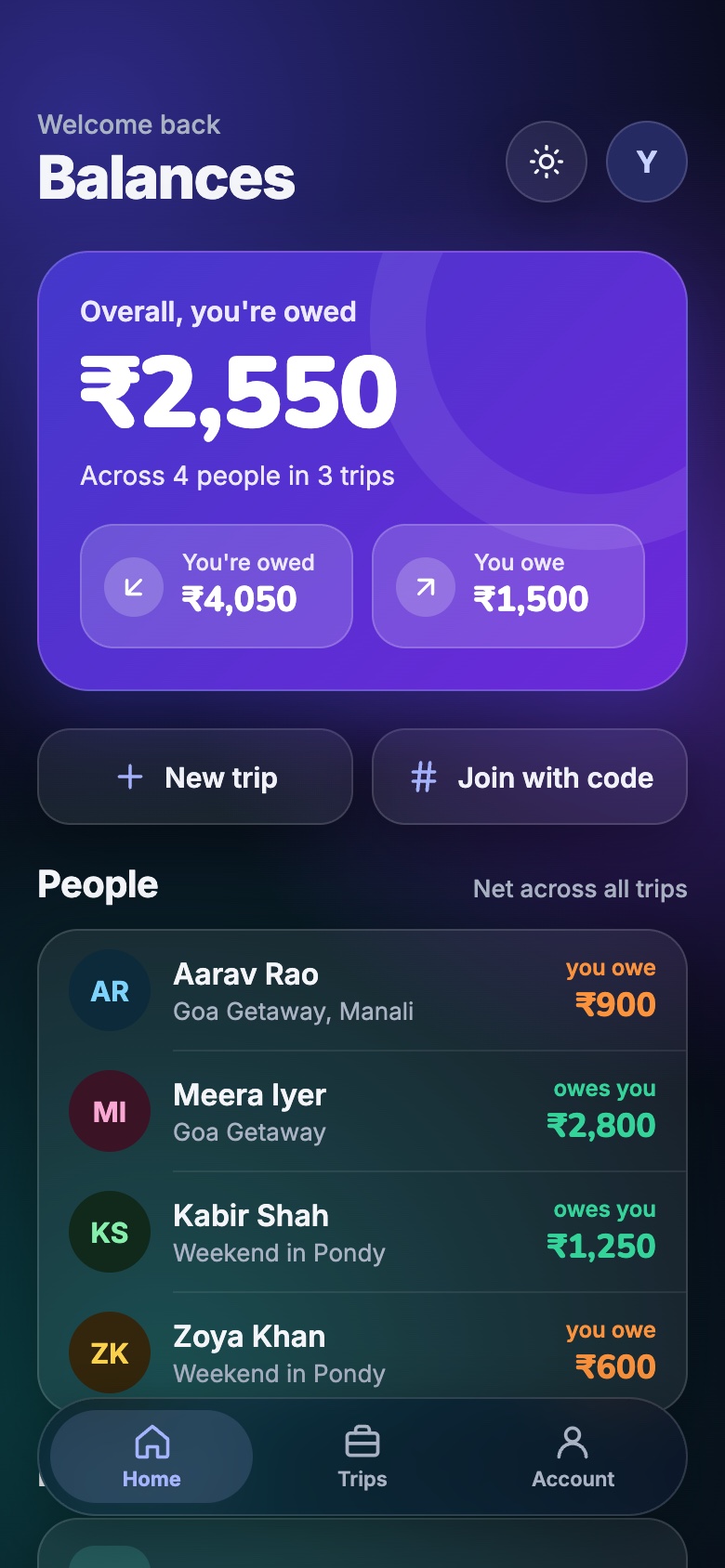
Dark modeThe same Home in dark. The sun button flips appearance in one tap.
How it works
Three steps, then you're square.
Start a trip
Sign in with Google, create a trip, and invite friends by email or with its code.
Add expenses
Log what was spent, who paid, and how to split it. Everyone's share is worked out for you.
Settle up
See who owes whom across all your trips, then record the payments that clear it.
How it's built
Under the hood.
No server to run
Built with Expo SDK 58 and Firebase's free Spark plan. All logic runs in the app, and Firestore security rules decide who can read and write each trip.
Money in whole paise
Amounts are stored as integers in minor units, and leftover paise go to the largest remainders, so splits always total exactly.
Balances kept in step
Each trip keeps a running balance for every pair of members, updated in the same batch as each expense or payment, so Home reads only trip documents.
Tested where it counts
Unit tests cover splits, money, balances, and cross-trip netting, and the security rules are tested against the Firestore emulator.