Android app · Personal project
Snugbox: Every link you save, in one calm place.
Snugbox is an Android app for saving links from any app into collections, with automatic previews, a Focus mode for working through new saves, and five color themes.
Android APK · 66.4 MB · hosted on Google Drive
What it does
Saved links you actually come back to.
Save from anywhere
Share a link to Snugbox from any app, or add one with the + button. It fetches the title and source for you.
Collections that stay tidy
File saves into collections like Recipes, Travel, or Reading, filter by them from home, sort by newest, or search across everything.
Focus mode
See at a glance how many saves are new, then swipe through them one at a time.
Five color themes
Pick Slate, Harbor, Sage, Rosewater, or Dusk. Each has a light and a dark version, and appearance can follow your system.
Gentle reminders
Turn on a nudge about new saves and choose how often it comes, like every three days.
Backup and import
Export a backup of your saves, or import the bookmarks you already have.
Inside the app
A closer look.
Screens from the Android app, and its five color themes in light and dark.
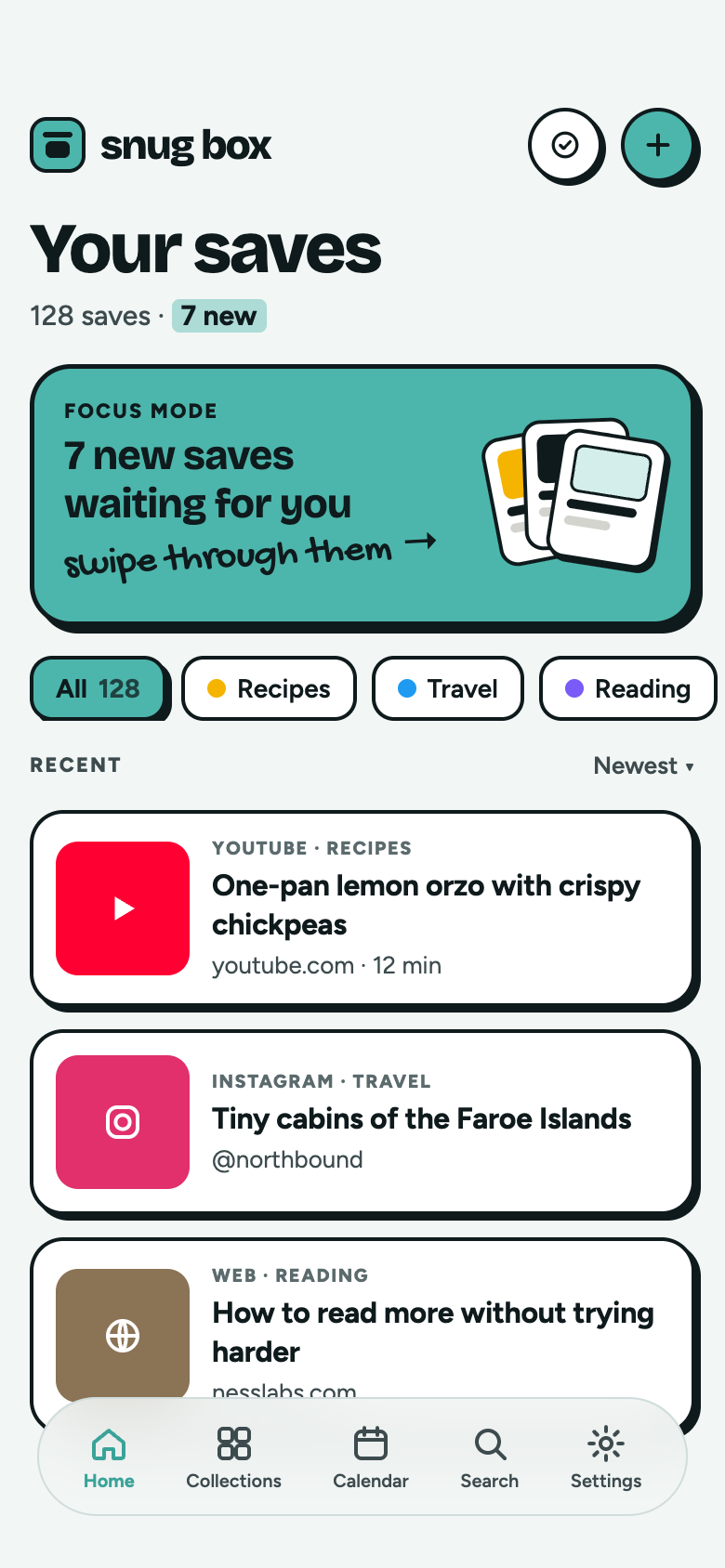
Your savesFocus mode, collection filters, and recent saves, here in the Harbor theme. 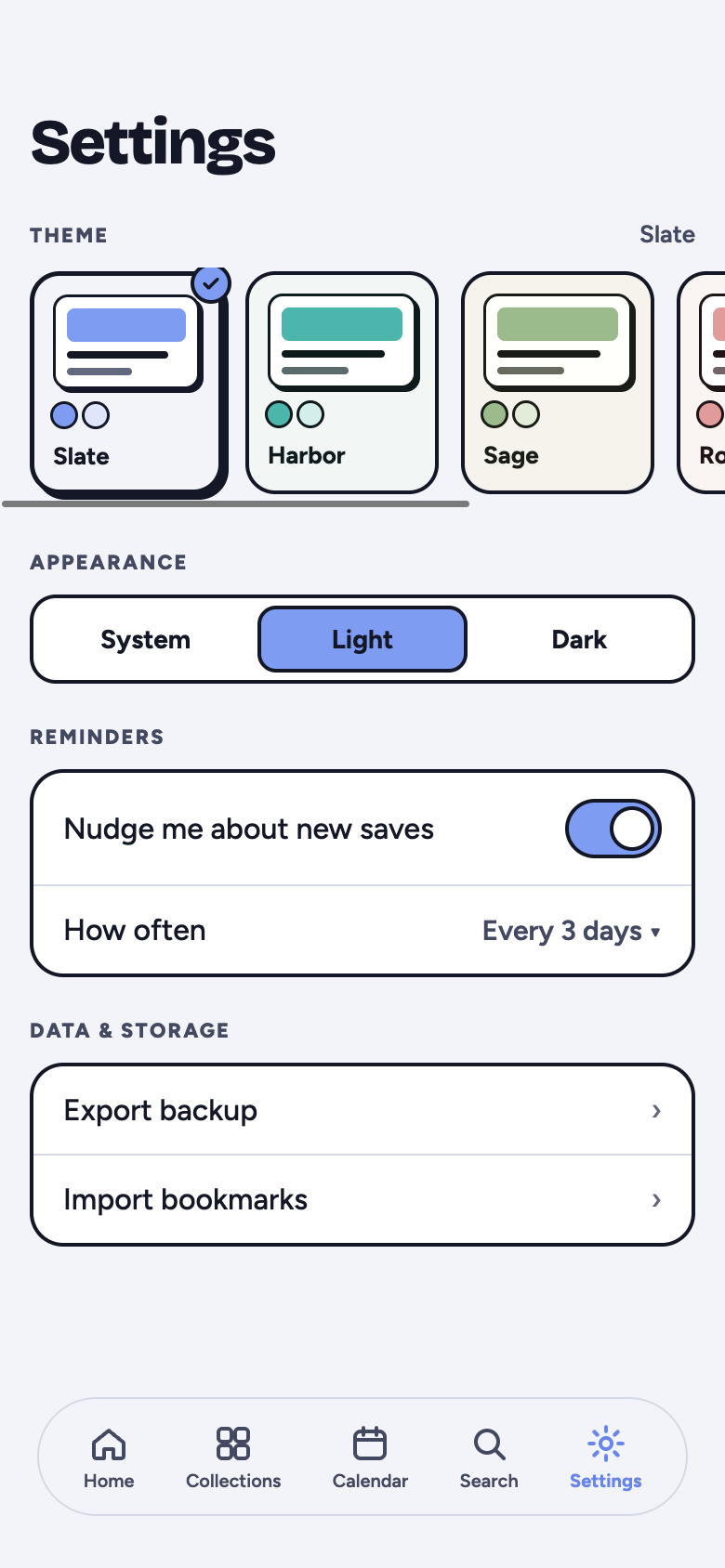
SettingsPick a theme and appearance, set reminders, and back up your saves. 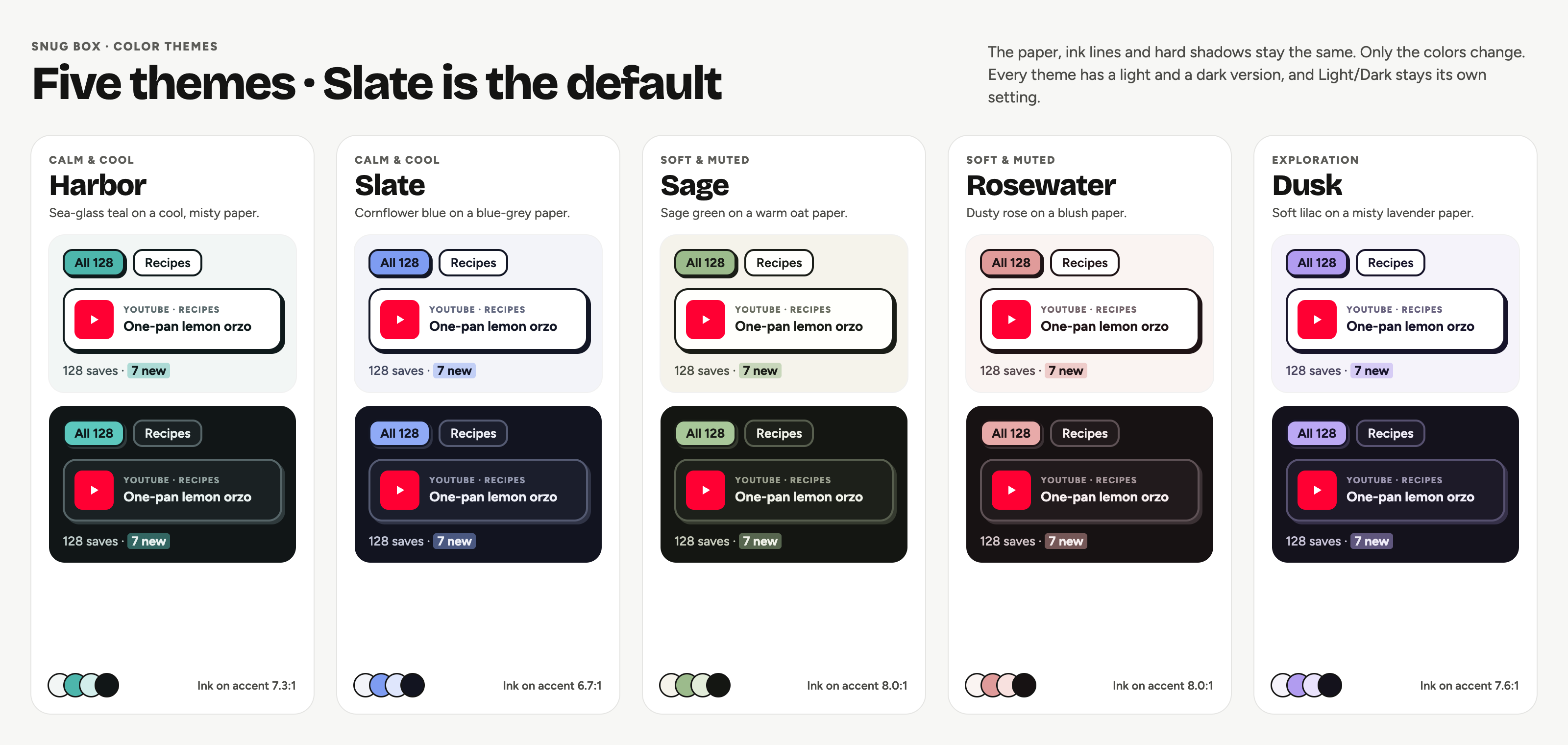
Five color themesHarbor, Slate, Sage, Rosewater, and Dusk, each in light and dark. Slate is the default.
How it works
Three steps, no clutter.
Save
Share or paste a link. Snugbox grabs the preview so you never have to type a title.
Sort
Pick a collection, then filter your saves by it or search when you need something.
Revisit
Focus mode walks you through new saves, and a reminder nudges you when they pile up.