Android app · Personal project
Stowly: Every link you save, in one calm place.
Stowly is an Android app for saving links from any app into collections, with automatic previews, notes, and a Focus mode for working through what you saved.
Android APK · 66.4 MB · hosted on Google Drive
What it does
Saved links you actually come back to.
Save from anywhere
Share a link to Stowly or paste it in. It fetches the title and source for you, and you can tap the title to rename it.
Collections that stay tidy
File saves into collections like Recipes, Travel, or Reading, create new ones on the spot, or leave them in Unsorted for later.
Focus mode
Swipe through new saves one at a time, and see at a glance how many saves you have never opened.
Notes, photos, and tags
Add a note on why you saved something, attach a screenshot or photo, and tag saves so they are easy to find.
Pinned and recent
Pin the saves you keep coming back to, browse recent ones by newest, and search across everything.
Every action in reach
Pin, move, share, copy the link, or delete from any save, then open it straight in YouTube, Instagram, or the browser.
Inside the app
A closer look.
Screens from the Android app in its light and dark themes.
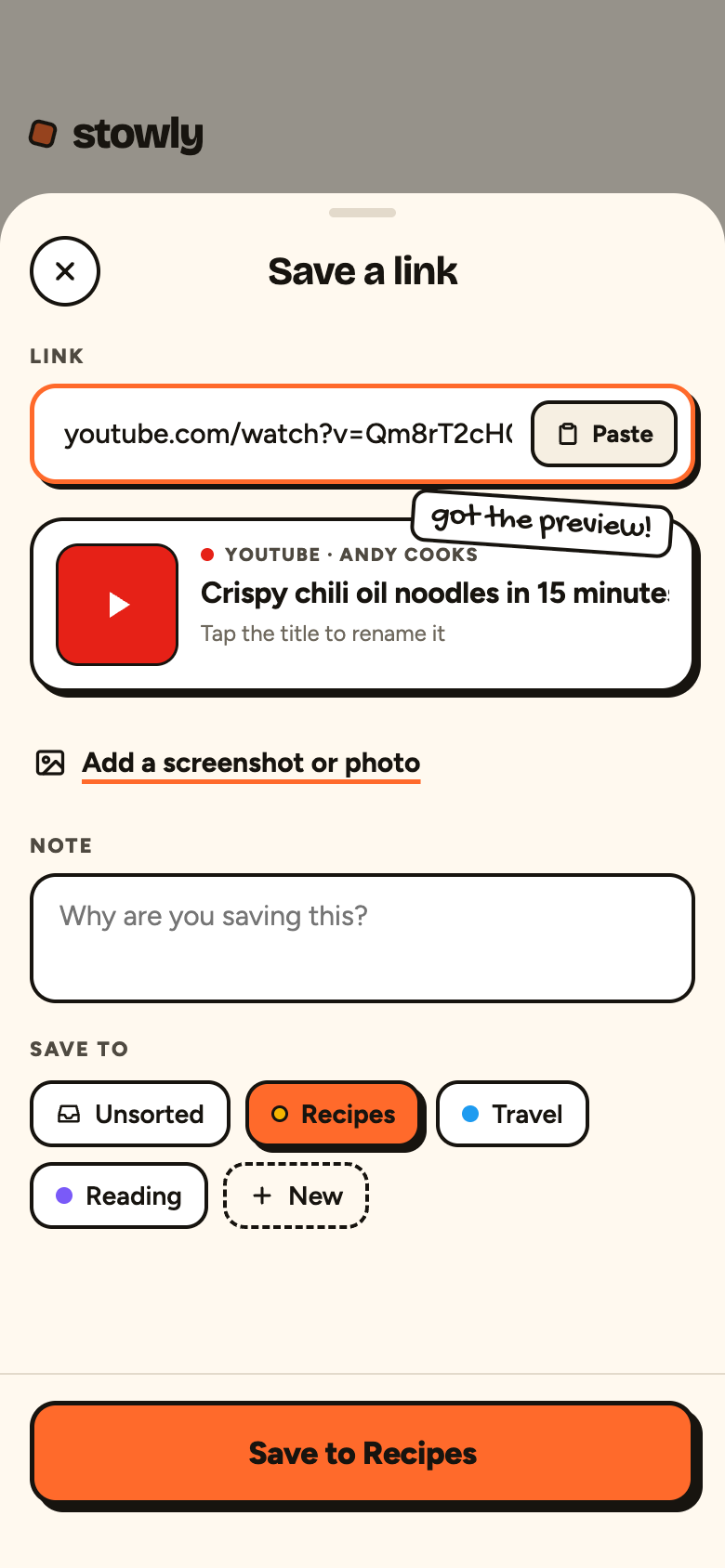
Save a linkPaste or share a link, get the preview, add a note, and choose a collection. 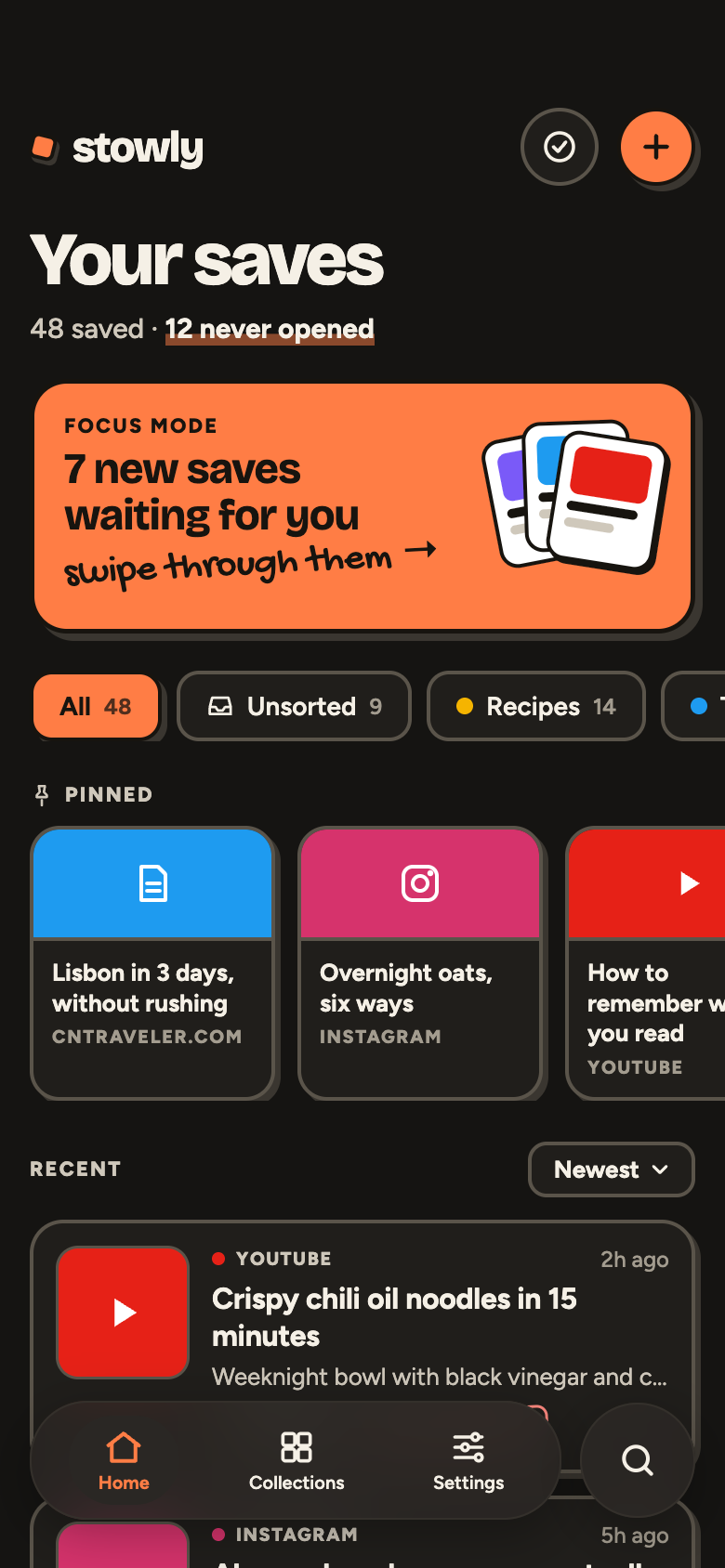
Your saves, darkFocus mode, collection filters, pinned saves, and recent saves in the dark theme. 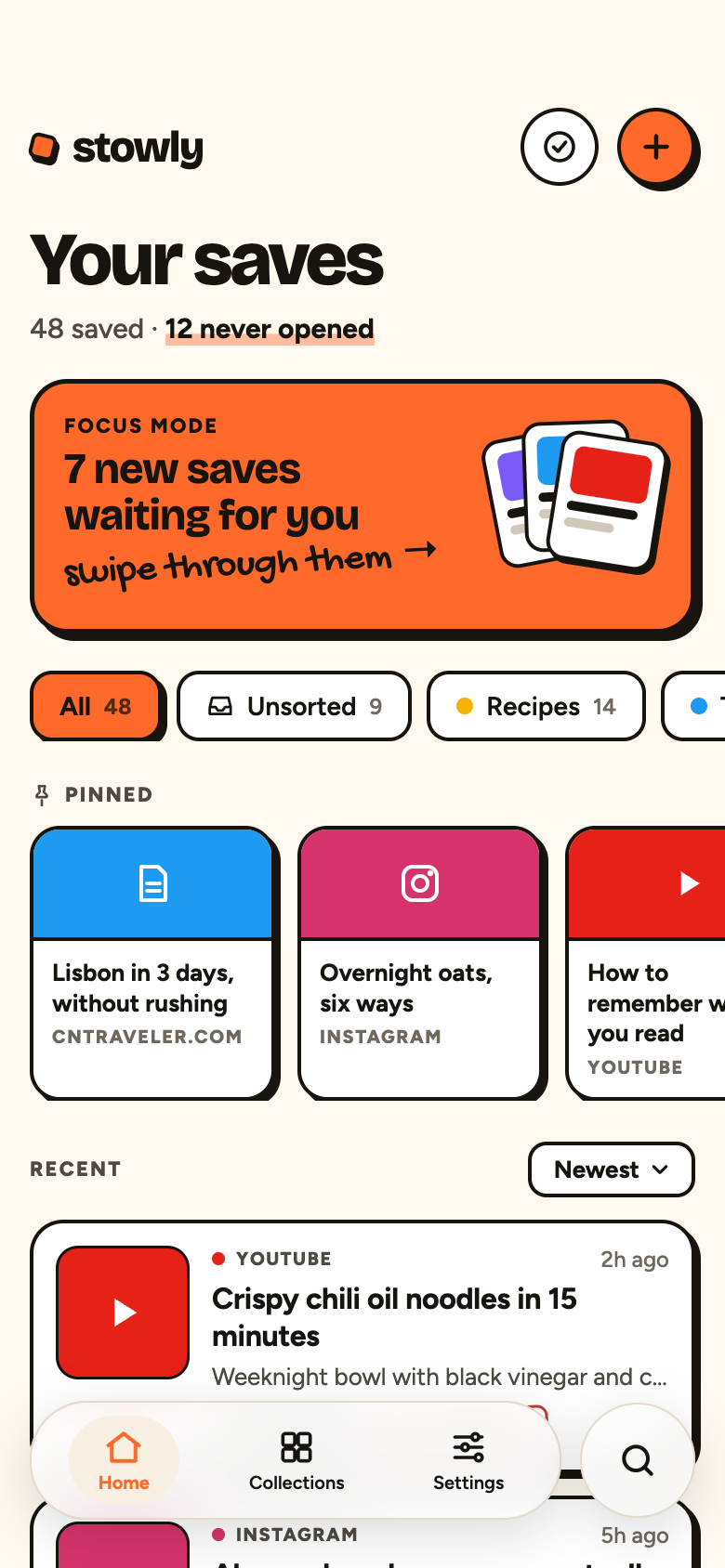
Your saves, lightThe same home screen in the light theme. 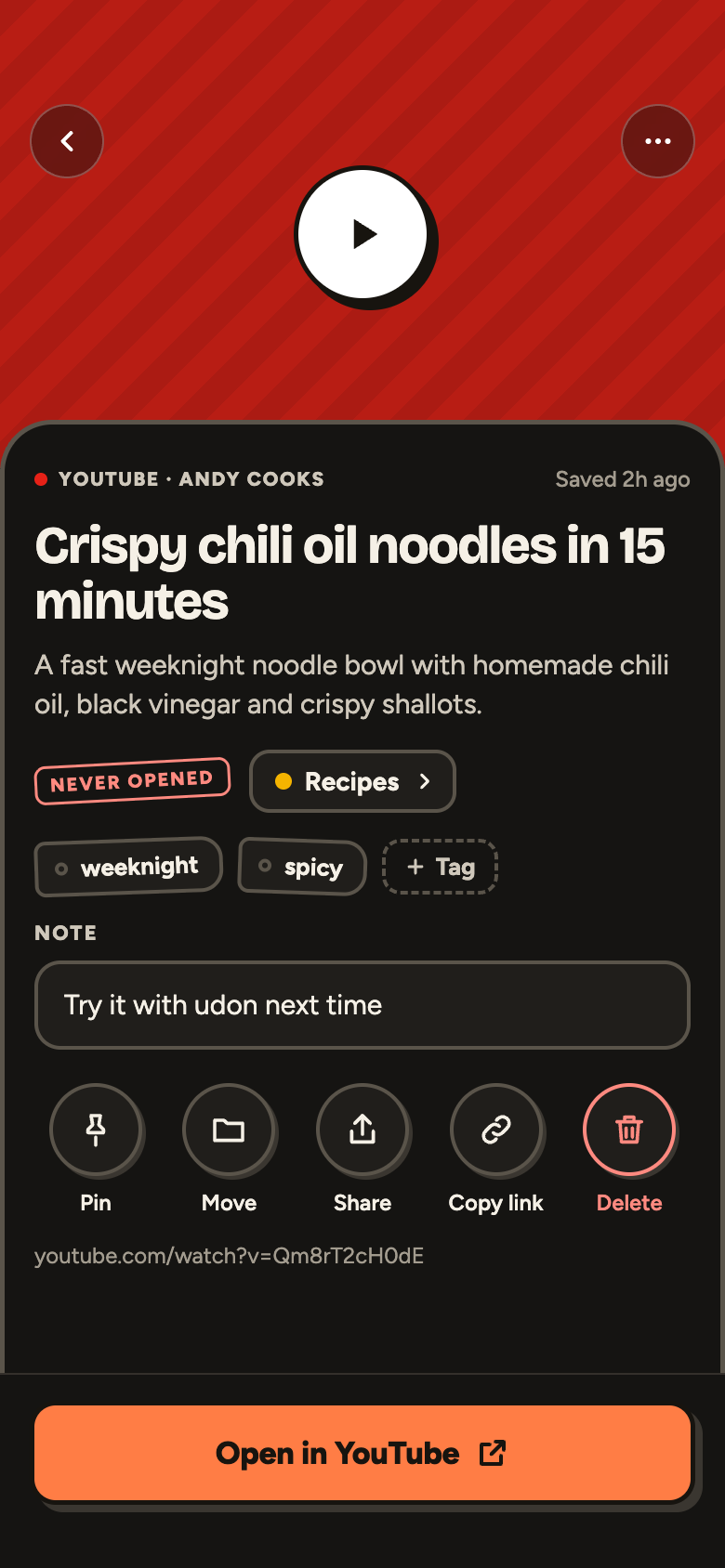
A saved itemCollection, tags, your note, and quick actions, with one tap to open the original.
How it works
Three steps, no clutter.
Save
Share or paste a link. Stowly grabs the preview so you never have to type a title.
Sort
Pick a collection, add a note or tag, and save. Unsure? Unsorted holds it for later.
Revisit
Focus mode walks you through new saves, and pinned saves stay one tap away.